
Capture
Capture first. Organize later.
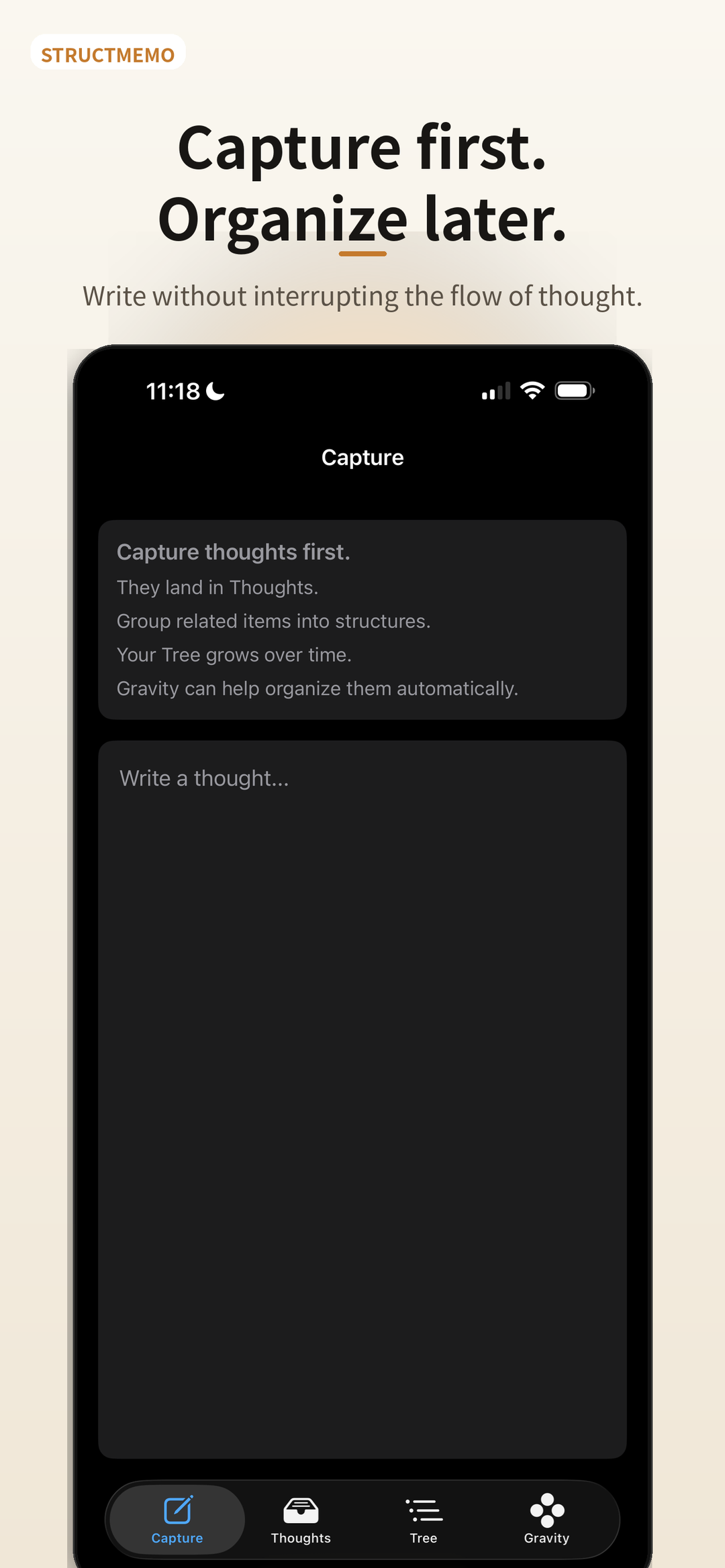
Keep the momentum of thought. Every new Thought lands where you can find it again.
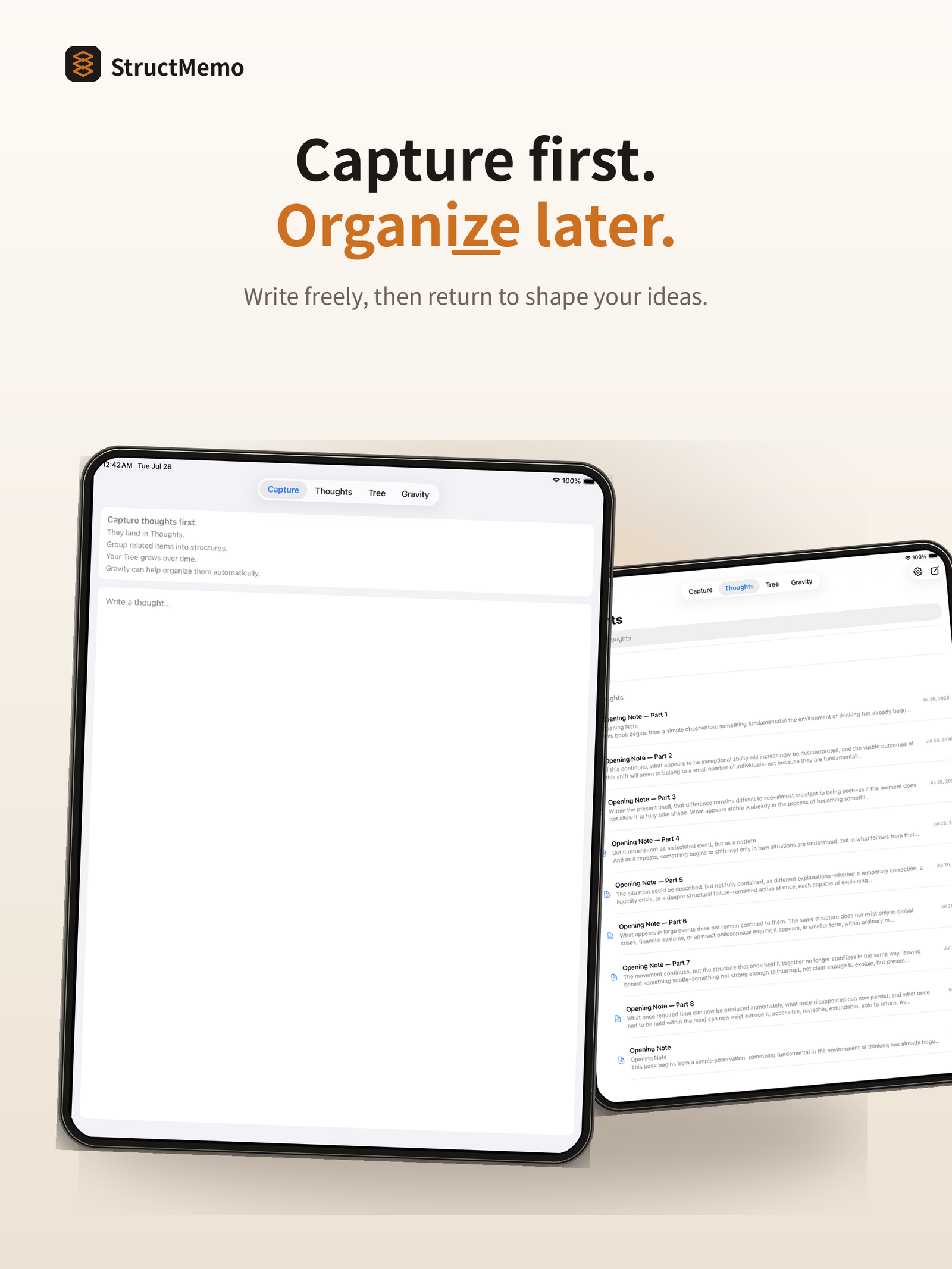
A workspace for ideas that have not found their shape yet
Capture freely. Organize later. See your ideas grow into a clear, navigable tree.
Built around the way ideas actually arrive
StructMemo lets ideas arrive before they are classified. Capture what appears, then return to connect, elevate, and organize it without losing the original flow.
Give an idea a place before deciding what it means.
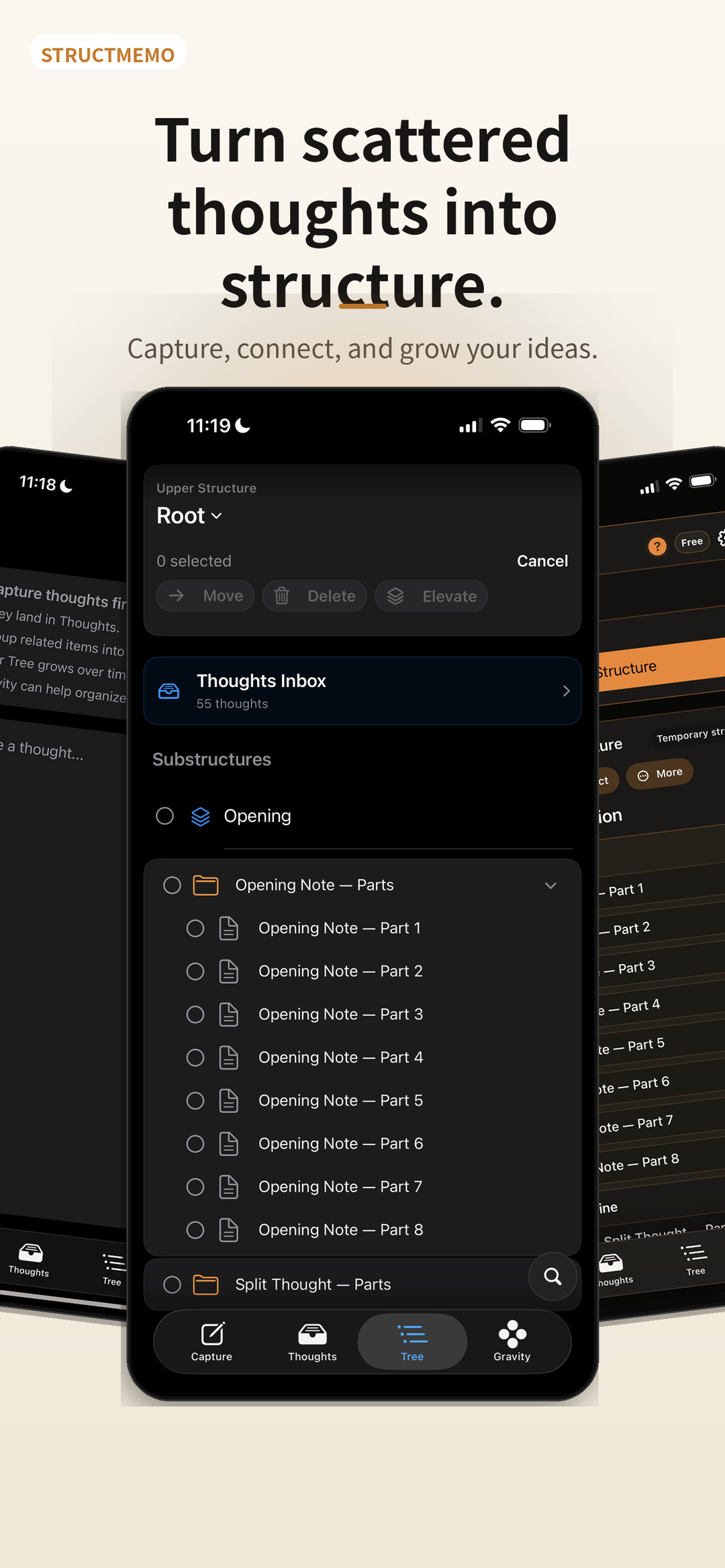
Bring related Thoughts into the same branch when the relationship becomes clear.
Move from fragments to a navigable whole without forcing an early taxonomy.
How it works
StructMemo separates the moment of writing from the work of organizing, so neither interrupts the other.
Write immediately without deciding where the Thought belongs.
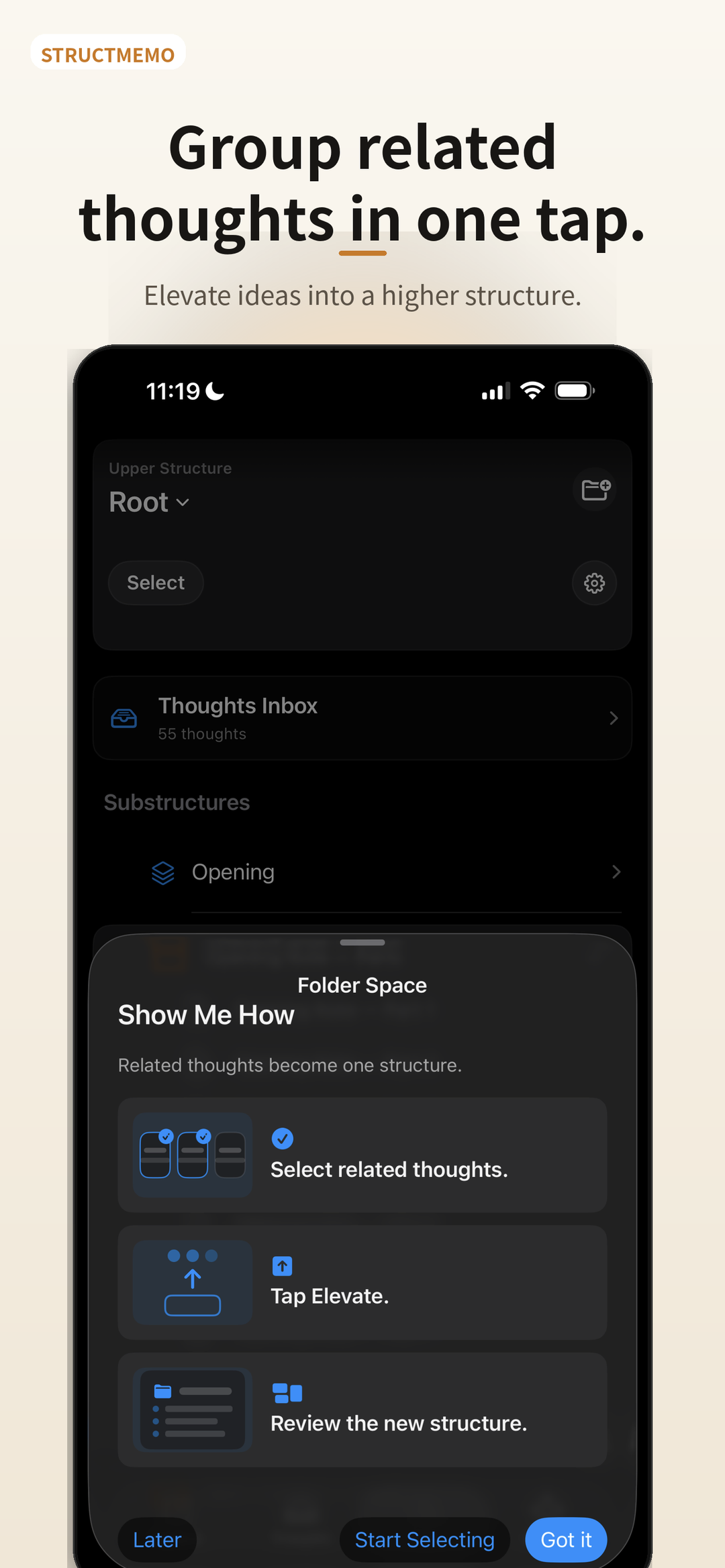
Find related Thoughts, move them together, or elevate them into an Upper Structure.
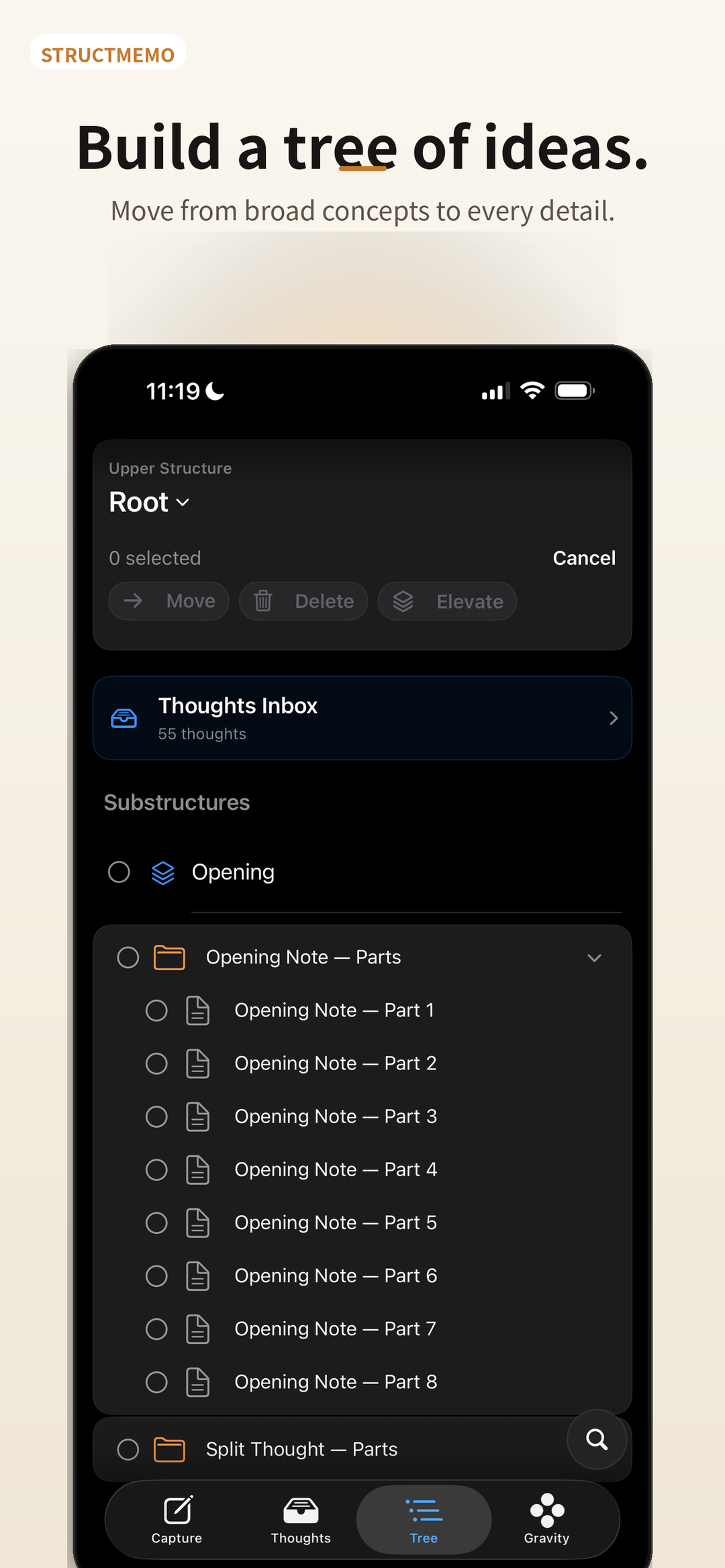
Navigate your Tree from the broadest concept to the smallest detail.
More than a notes list
Capture, retrieval, hierarchy, and optional AI work together as one continuous thinking environment.
Capture
Keep the momentum of thought. Every new Thought lands where you can find it again.
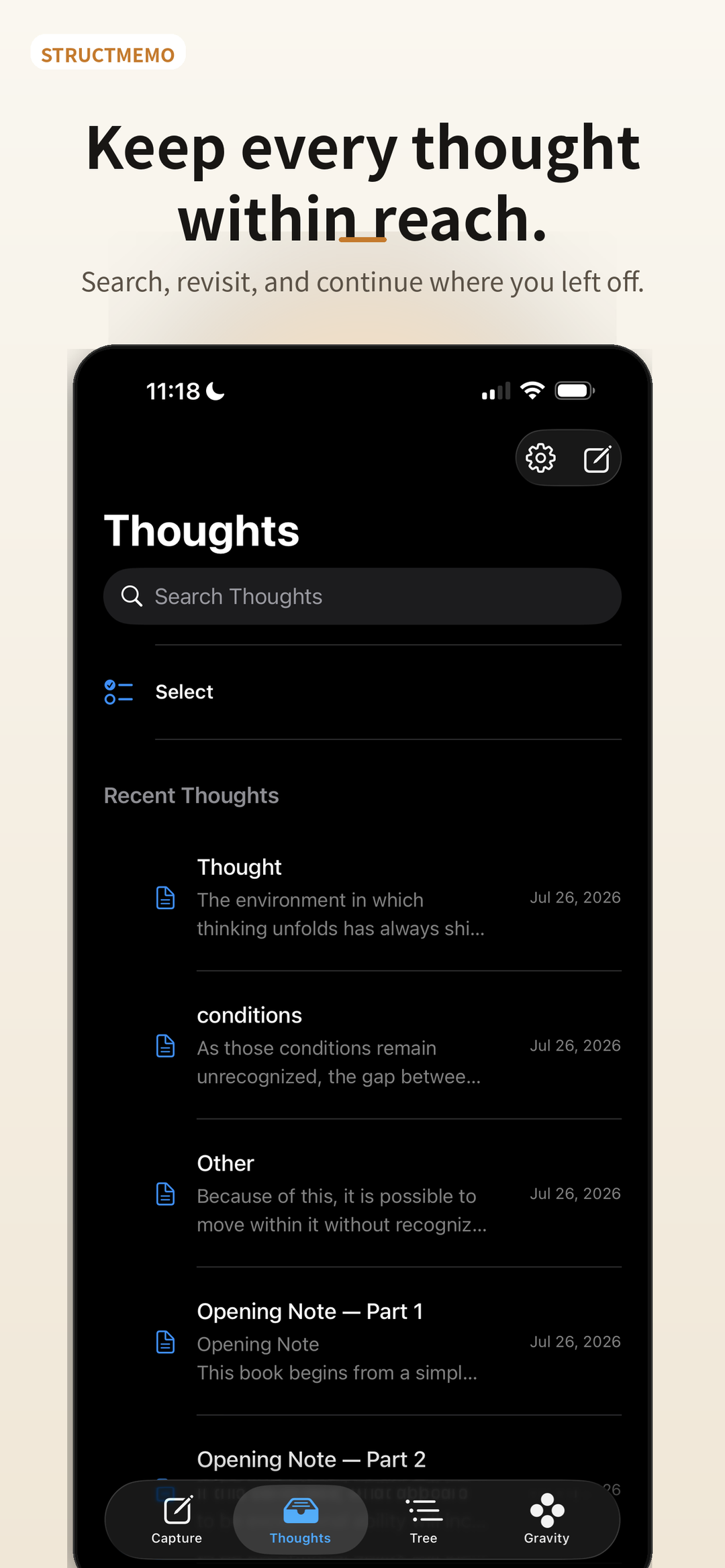
Thoughts
Search recent work, reopen unfinished ideas, and continue from where you stopped.
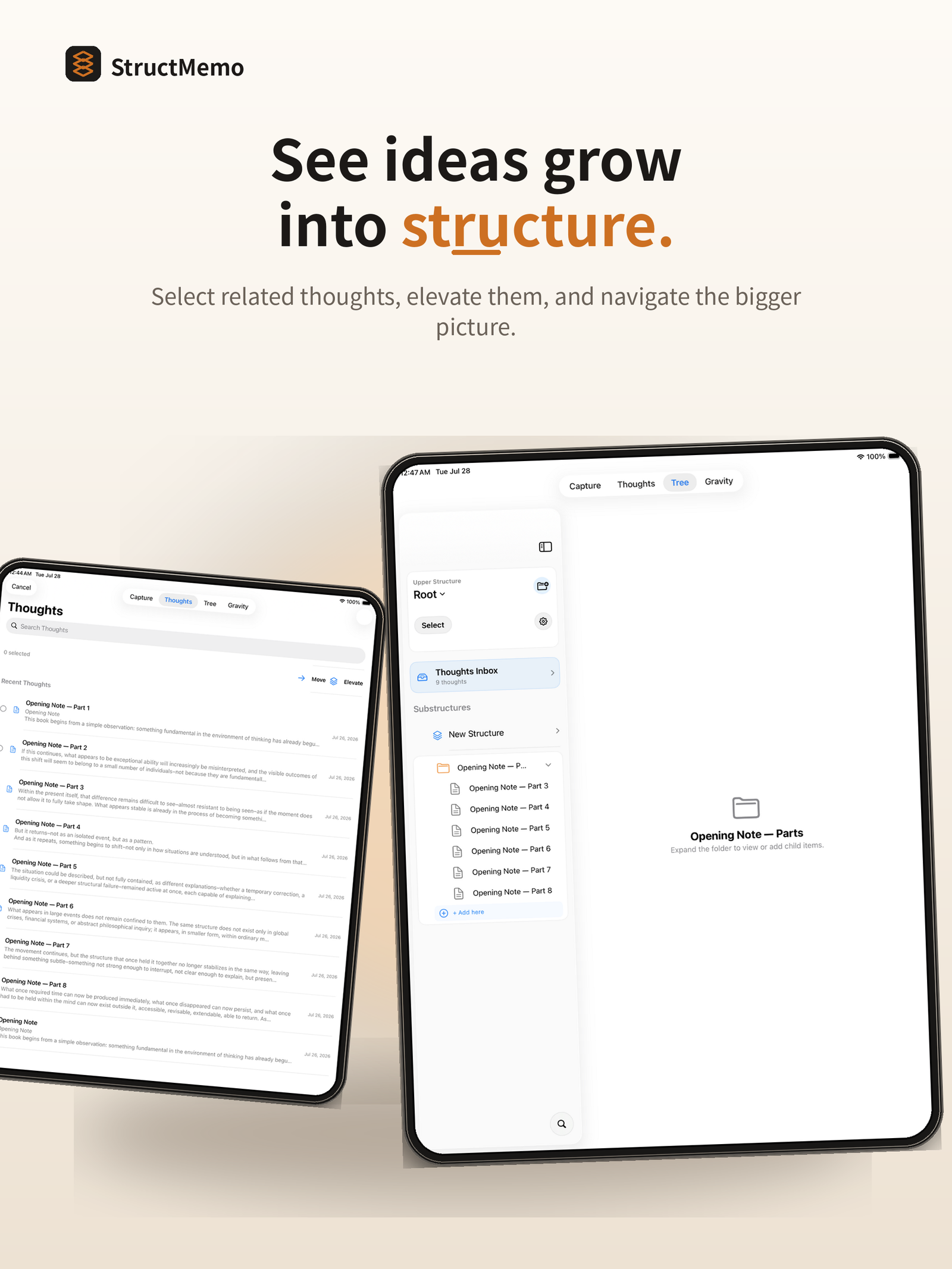
Tree + Upper Structures
Use folders, hierarchy, and Upper Structures to move between the whole and its details.
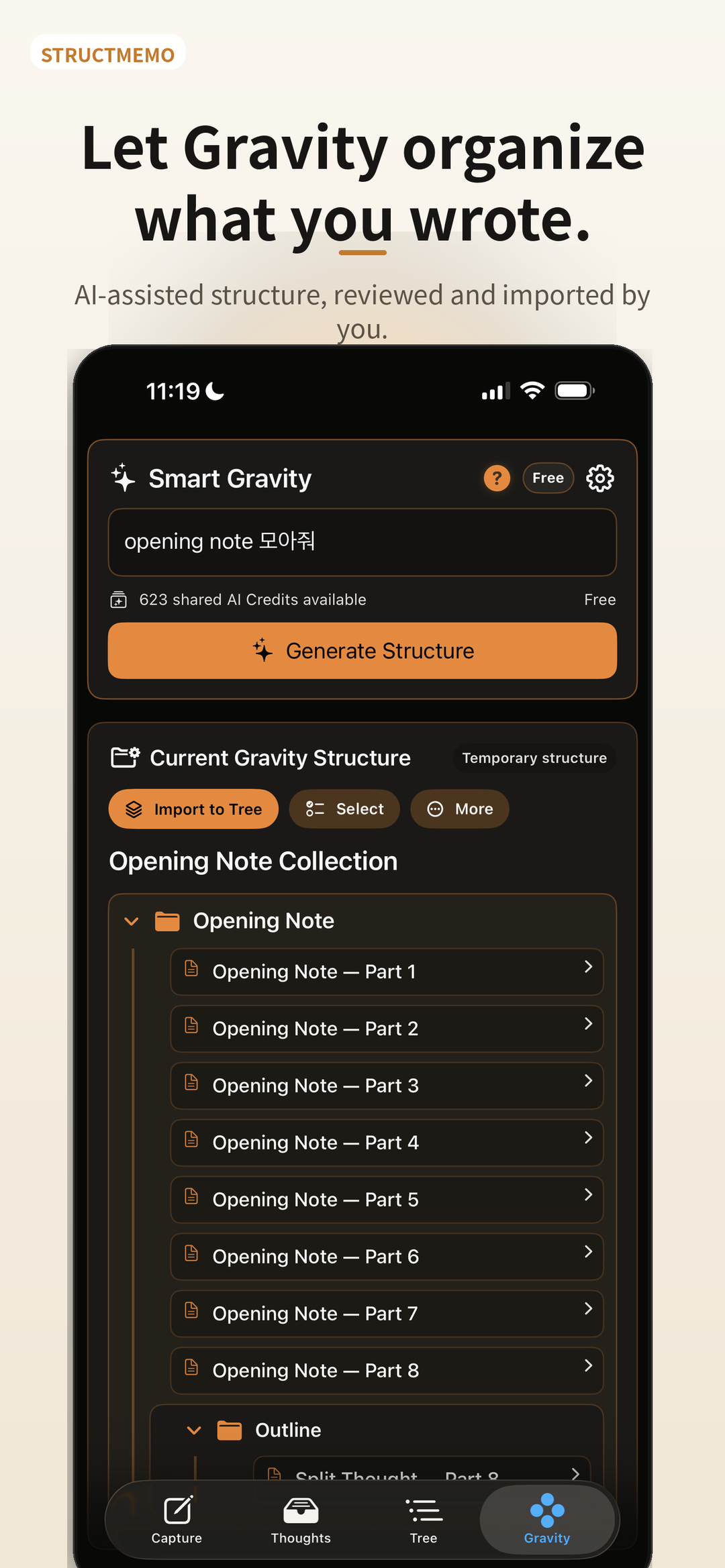
Smart Gravity
When you ask, Smart Gravity identifies relevant Thoughts and proposes a temporary structure. You review it before importing anything into your Tree.
AI Response
Check reasoning, explore a counterargument, extend an idea, or view it from another perspective.
Local-first + backup
StructMemo stores the library locally and lets you create a portable full-library backup. Automatic iCloud synchronization is not currently included.
Details that keep the work moving
Each feature supports the same idea: capture without friction, then shape the material with intention.
Append recognized speech to a Thought when you tap the microphone. StructMemo does not store raw audio.
Optionally suggest a title for an untitled Thought during its explicit save workflow.
Review an earlier saved version and restore it as a new latest version while preserving history.
Search inside the Thought you are reading without leaving the editor.
Listen to an existing Thought with Apple’s installed system voices, without an AI request.
Split a long Thought into eight sentence-aware parts locally on the device.
Export structures as JSON, Markdown, plain text, or folder-based files.
Choose the editor appearance that keeps long-form work comfortable.
Create a portable backup containing the local library and its structure.
Sign in when you need subscriptions, shared AI Credits, or account-connected AI features.
Request an explicit StoreKit refresh to reconcile an active Apple subscription.
Delete the StructMemo account relationship separately from local notes and Apple subscription management.
Plans
Every plan includes the core Capture, Thoughts, Tree, and Elevate workflow. Subscriptions expand the current shared AI Credit allowance and AI limits.
Free
$0No subscription
The complete core structuring workflow.
StructMemo Pro
$2.99per month
More room for recurring AI-assisted work.
StructMemo Pro Plus
$5.99per month
The highest current AI capacity.
Prices shown are U.S. App Store prices. Local pricing and taxes may vary.
Free AI Credits are promotional and subject to current service availability. AI Credits are usage units, not a fixed number of requests.
All purchases occur through Apple. Manage subscriptions through Apple.
Privacy and control
StructMemo is designed so ordinary note work and optional AI work remain clearly separated.
Read the Privacy PolicyFAQ
Straight answers about storage, accounts, AI, backups, and subscriptions.
No. Basic Capture, editing, organization, search, export, backup, restore, and Read Aloud work without a StructMemo account. Sign in with Apple is required for account-connected AI features, shared AI Credits, subscription reconciliation, Restore Purchases, and account deletion.
The StructMemo library begins as local data on your device. The complete note library is not automatically copied into a StructMemo cloud library.
No automatic iCloud synchronization is currently included. You can create a full-library backup and choose iCloud Drive, Files, or another document provider as the destination, but that file is a user-controlled backup rather than continuous sync.
Only after you explicitly request it, StructMemo may send the selected or retrieved Thought and Code text, titles, your instruction, and necessary structural context to the StructMemo backend and OpenAI. The result is a temporary proposal that you review before importing into the Tree.
Yes, if you created an external full-library backup first. Deleting the app removes local content unless an external backup was created. Restore Library Backup validates the file and, after confirmation, replaces the current local library.
StructMemo Pro and Pro Plus are purchased through Apple StoreKit. Apple handles billing, renewal, cancellation, and refund requests. Use Settings → Manage Subscription for subscription changes.
No. Deleting the StructMemo account does not automatically cancel the Apple subscription. It also does not automatically remove local Thoughts or external backup files. Manage the subscription separately through Apple.
An AI request that needs more shared credits will not run until credits later become available under the applicable monthly plan policy or the plan changes. Local Capture, Thoughts, Tree, editing, search, export, backup, and Read Aloud continue to work.
Yes. StructMemo includes English and Korean interface localization, and this product site is available in both languages.
An Upper Structure is a named higher-level context for related branches of the Tree. It helps you move between a broad concept and the folders and Thoughts that develop it.
Start with what appears
Capture what appears. Return when you are ready. Build the structure over time.
View on the App Store